Audio and transcript together for closer review
A shared review panel brings the recording, editable transcript, and annotations into a consistent place for close listening and correction.
Work done September 21–25, 2026 · Last edited September 25, 2026
On this page
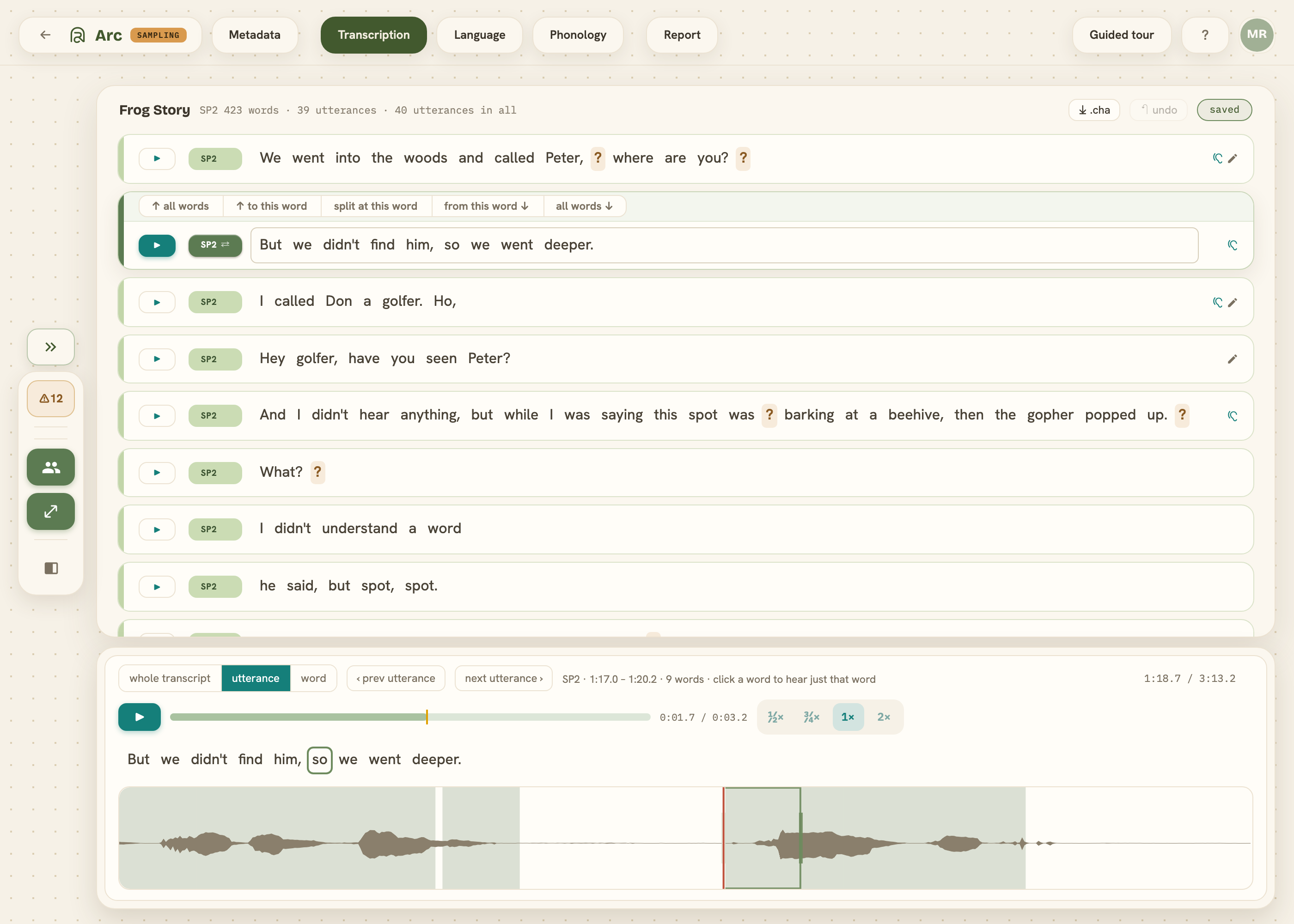
Arc now has a review panel at the bottom of the transcription, language, and phonology screens. It pairs the selected utterance with its audio, editable text, and annotations, keeping detailed work in one place while the full transcript remains visible above.
A consistent place to work
Previously, opening an utterance expanded its card to show a waveform and audio controls. Moving between utterances opened those controls in different places and shifted the transcript as each card expanded.
The review panel stays at the bottom of the screen and follows the selected utterance. Listening closely, correcting words, checking annotations, and adjusting where words begin and end in the recording happen in the same workspace.
From the whole recording to a single word
Three scales show the whole recording, an utterance, or a close view around a word. These change the level of detail shown, from finding a passage in the sample to examining a word’s alignment with the audio. Playback and speed controls sit alongside the review tools.
Text and annotations beside the waveform
At utterance and word scale, the panel includes the editable transcript and the annotations relevant to the screen. Language shows parts of speech and transcript markings; Phonology shows target and produced pronunciations.
Edits in the panel update the same transcript shown above. The recording, words, and annotations can be examined together without expanding a separate audio display on each utterance.