Arc
Speech and language sampling, from recording to report.
Transcribe recordings, analyze language and speech sounds, and prepare sample reports in one workspace. Arc keeps the work connected, from the first transcript through your review to the finished report.
Transcription
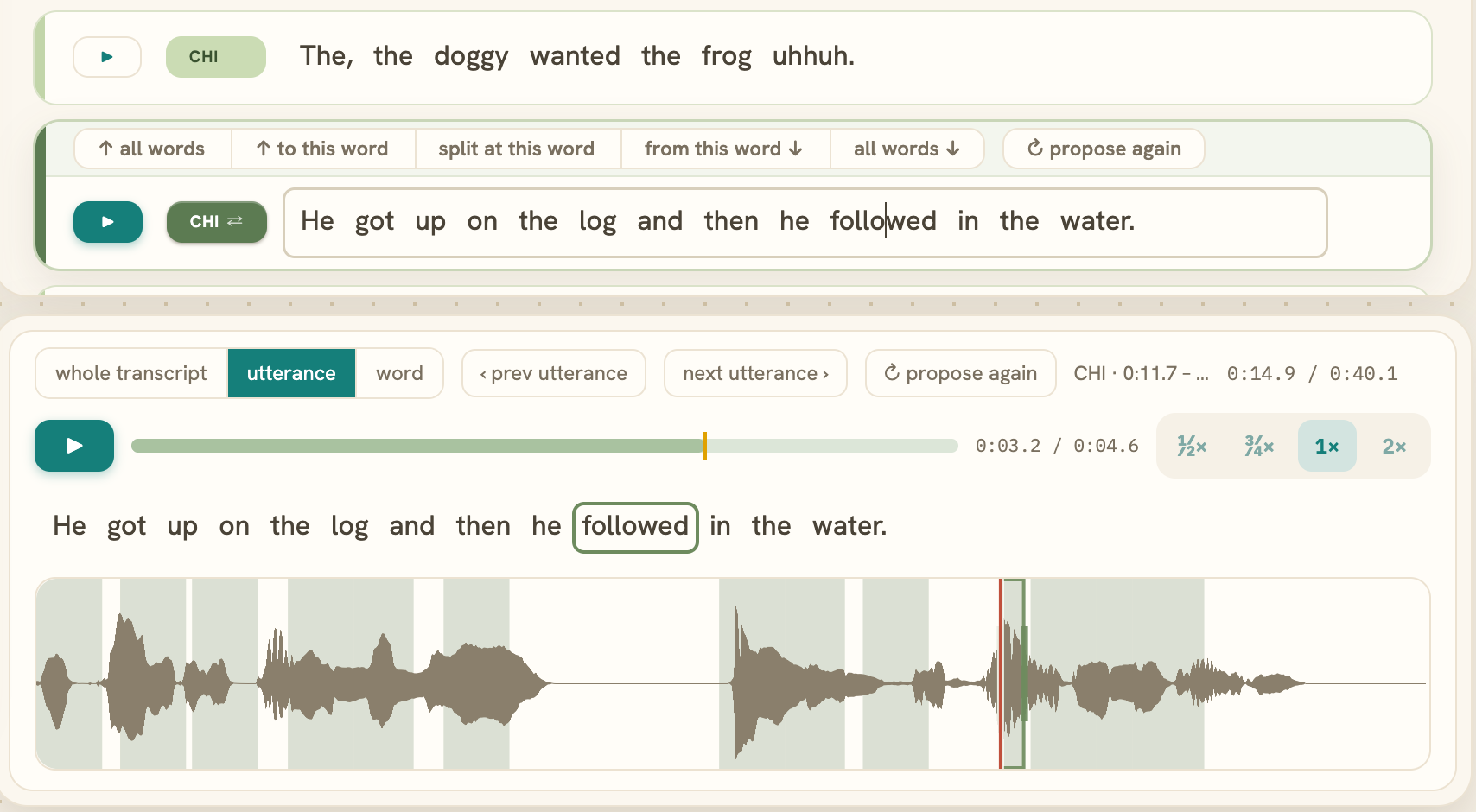
Listen and edit as you go.
Begin with an automatic transcript. Select a word or utterance to hear it in the recording, correct the text, and adjust utterance boundaries.
Language and phonology
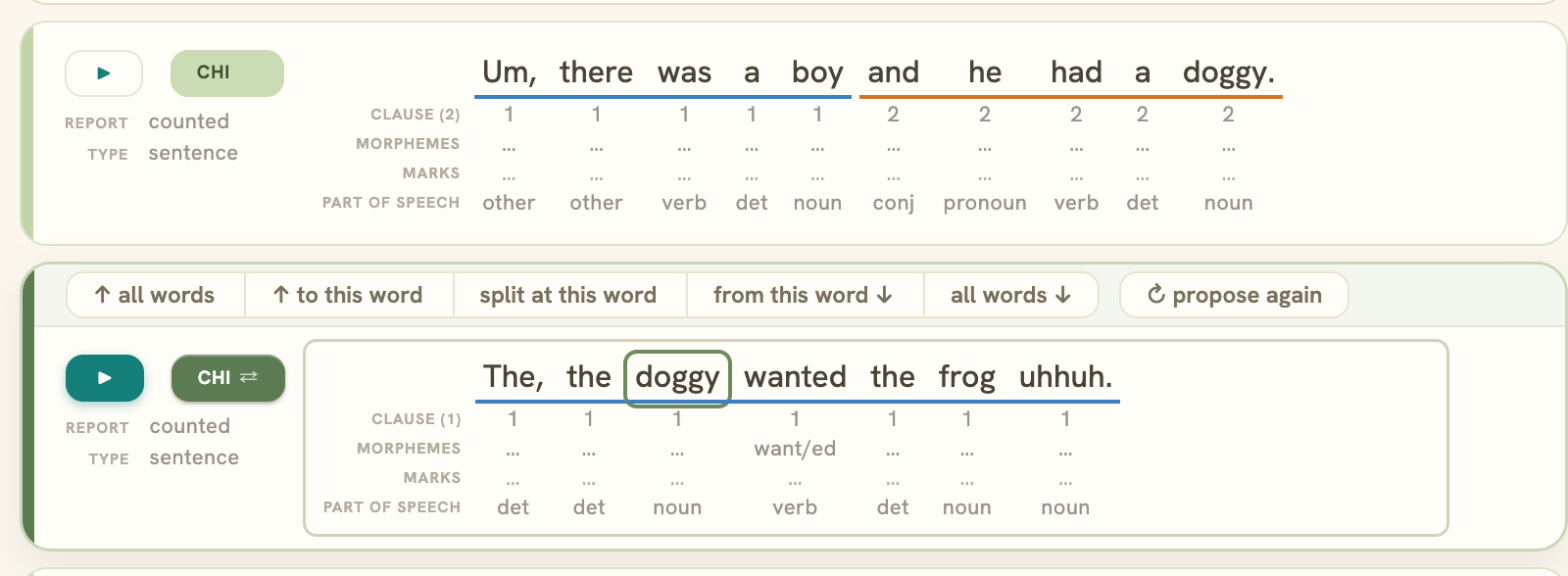
Review language and speech sounds.
Review clauses, morphemes, and grammatical labels alongside the transcript. For speech sound analysis, review pronunciation targets and enter the speaker’s productions. Arc uses the sample you’ve checked to calculate language measures and percent consonants correct.
Reporting
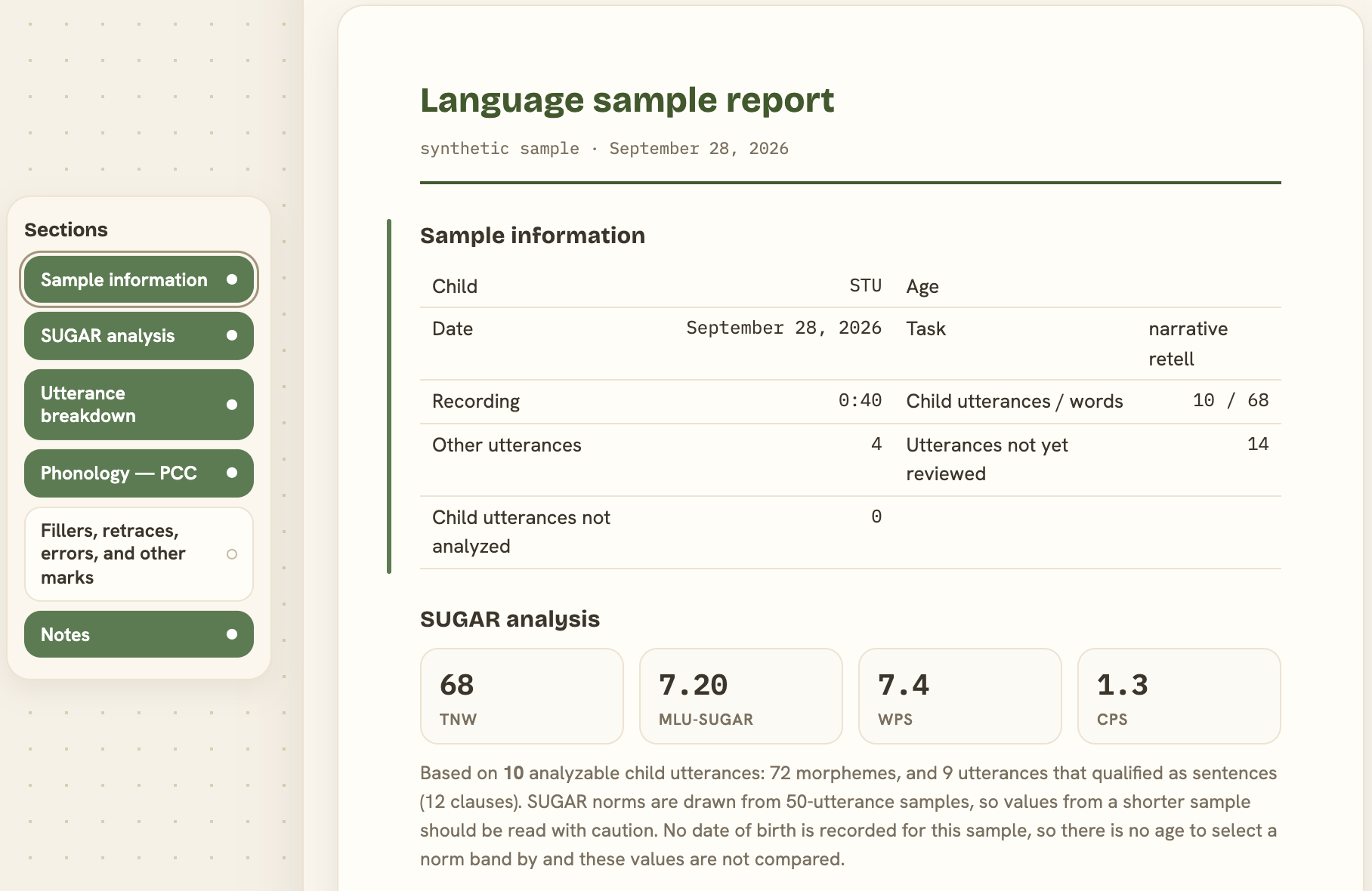
Bring the results together.
Arc calculates measures from the sample you’ve reviewed and brings the results, sample information, and utterance details into a report. Choose which sections to include, add clinical notes, and copy or print the report.
You have two hands. Fair enough.
Arc is being built to bring your recording, transcript, analysis, and report into one workspace. No extra arms required.
Join the alpha